Zirel POS: one app for the counter and the back office
A point of sale app for checkout, orders, inventory, customers, staff and reports, for one location or many. Why I built it, how the first version was done in about a month with AI-assisted development, and the main features.
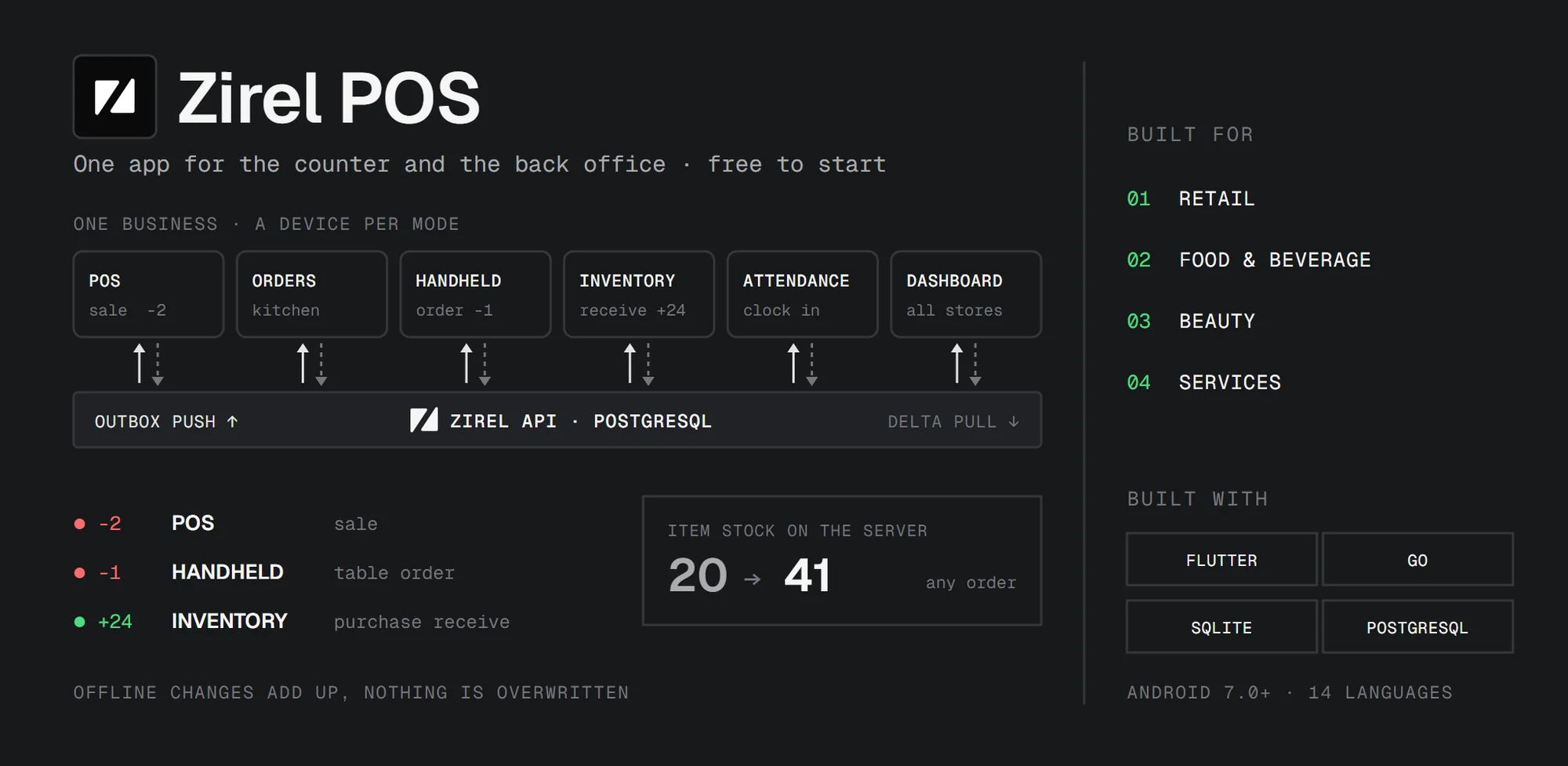
Zirel POS is one app for the counter and the back office. You ring up sales, manage orders and stock, look after customers and staff, and run more than one location, all from a phone or tablet. It works offline, and it's free to start.
It's made for shops, food and drink, beauty and service businesses, from a single counter to several locations. You turn on the parts you need and hide the rest.
- Website: zirelpos.com
- Google Play: Zirel POS
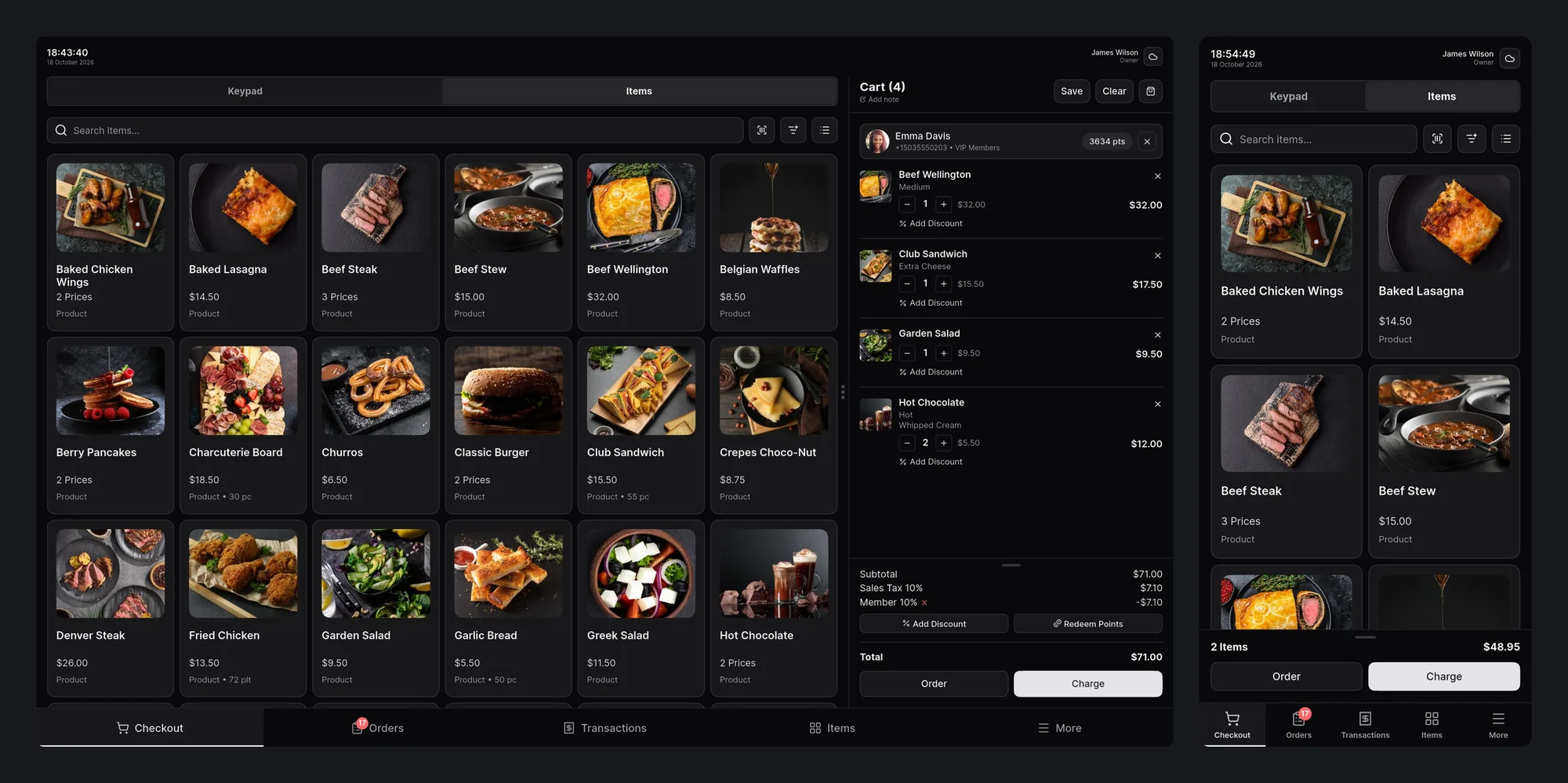
Why I built it
Every now and then, people around me asked me to recommend a point of sale app. When I looked, I noticed that most POS apps on the market were either too simple or overly complex. Most were designed for larger businesses and modern hardware, and their pricing often didn't suit small businesses, or people who were just starting one.
So I decided to make a POS that's free to start and flexible enough for a small business, and for a medium or larger one too. I wanted the UI to be simple, but not so basic that it gets in the way, and not overly complex either. And I wanted it to work on older and newer Android devices alike. It runs on Android 7.0 and up, and the UI scale can be adjusted for screens that feel too small or too large.
Built with AI, in about a month
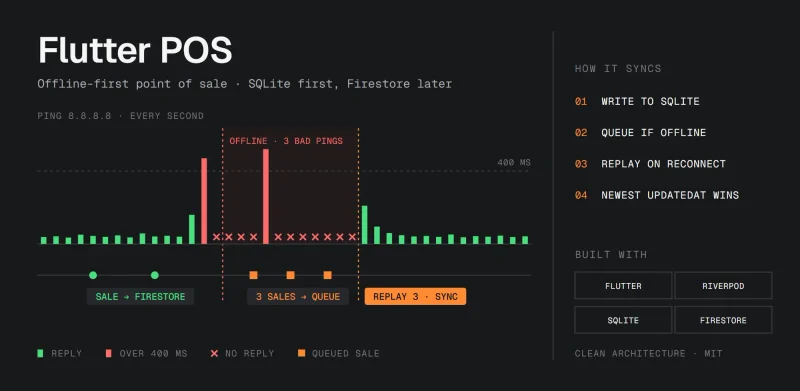
At the same time, I wanted to experiment with AI-assisted application development. Combined with my previous experience working on POS applications, including my open source Flutter POS, that let me finish a full-stack MVP in about a month.
It has grown a lot since that first version, with more app modes, several locations per business, cash accounts, attendance and Zirel AI. It's now used by several people around me, and it has started to get users in other countries too, even though I haven't done any marketing for it yet.
Who uses it
Shops, food and drink, beauty and service businesses each use a different part of Zirel. This is what they usually set up:
| Business | Usually set up |
|---|---|
| Retail: grocery, fashion, electronics, minimarkets | Barcode checkout, stock per location, transfers, stock takes, price labels |
| Food and beverage: cafes, restaurants, bakeries, bars | A floor plan of tables, kitchen tickets, table-side orders, modifiers, split bills |
| Beauty: salons, spas, barbershops, clinics | Rooms or chairs as order points, a stylist or doctor on each booking, a booking calendar, loyalty |
| Services: laundries, car washes, workshops, repairs | Jobs as orders, keypad amounts, customer credit, an attendance kiosk |
Whatever the business, you choose the features, light or dark theme, the UI scale, one of 14 languages, and any currency format for prices and receipts.
Checkout and sales
Sell from your catalog, or key in a custom amount for a quick sale. Scan barcodes with the camera or a USB or Bluetooth scanner, add notes, and save a cart to finish later.
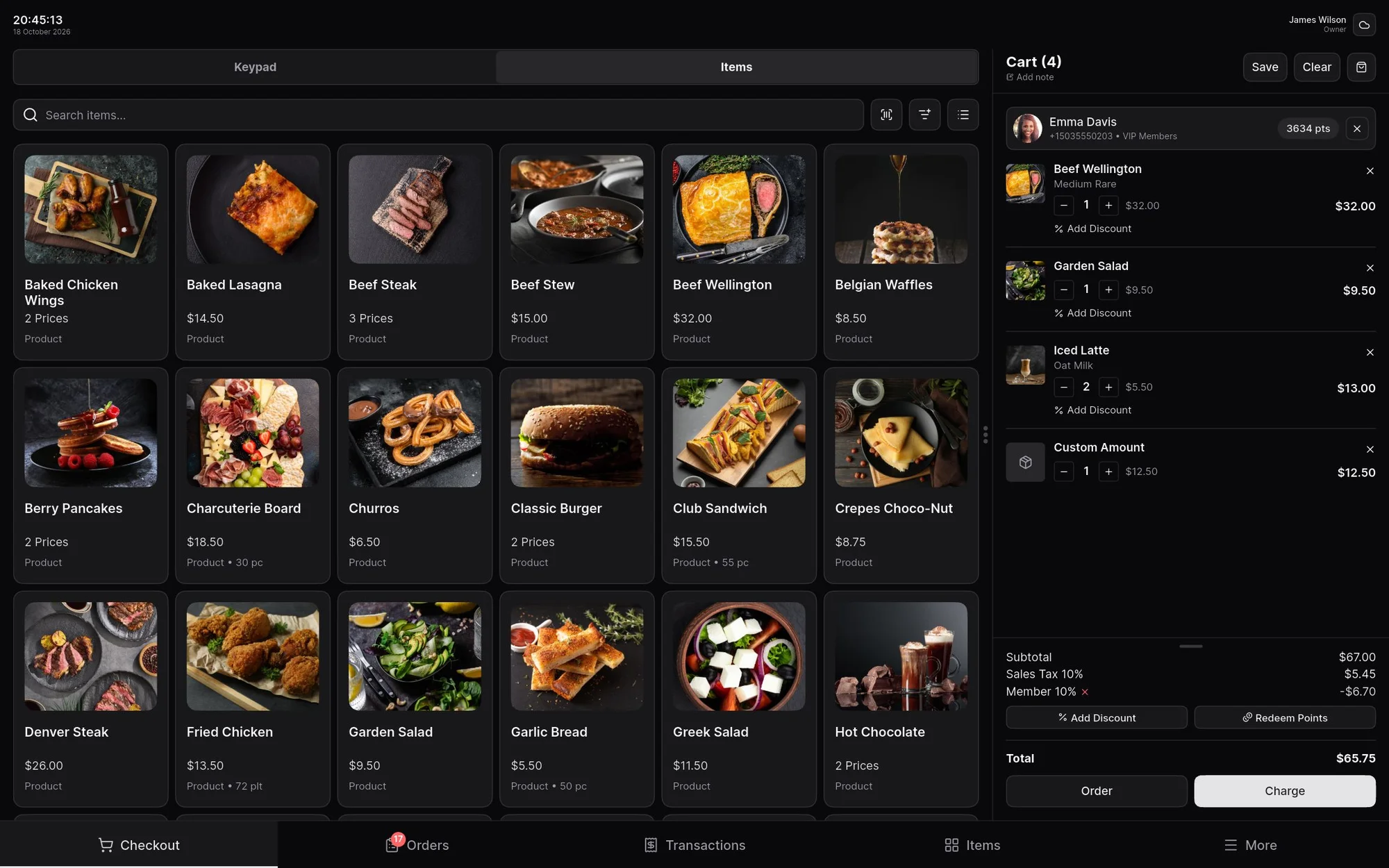
A sale can mix payment methods, like cash, card, QR or transfer, and a bill can be split equally, by amount or by items. Discounts apply automatically, and card fees (MDR) can be absorbed or passed on to the customer. A sale can also be finished on credit, or left unpaid when the customer pays later. Voids and refunds keep an audit trail, and receipts print or share as an image, online or offline.
Orders and tables
Orders use order points: tables, rooms, bays, seats or your own labels, grouped by area such as Floor 1 or Patio, and shown as a floor plan, a grid or a list.
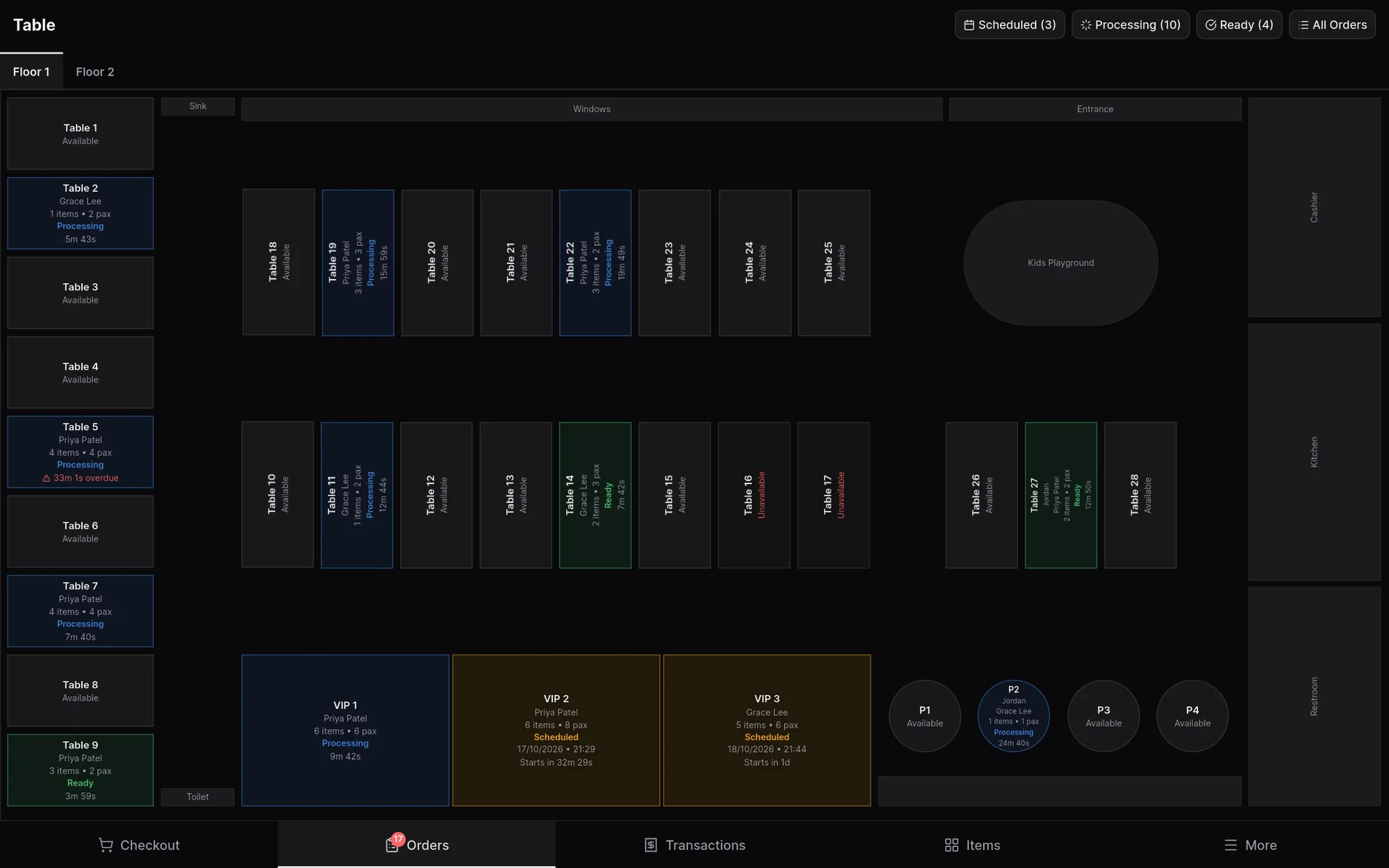
Each order moves through Scheduled, Processing, Ready and Completed. Overdue orders are flagged, and kitchen tickets can print automatically. You can assign a stylist, therapist, doctor or any staff member to an order, schedule orders for later on a calendar, and collect payment when the work is done.
Inventory and catalog
One catalog holds stocked products, items without stock and services, with variants, modifiers, units and taxes. Stock is tracked per location, with low stock flagged.
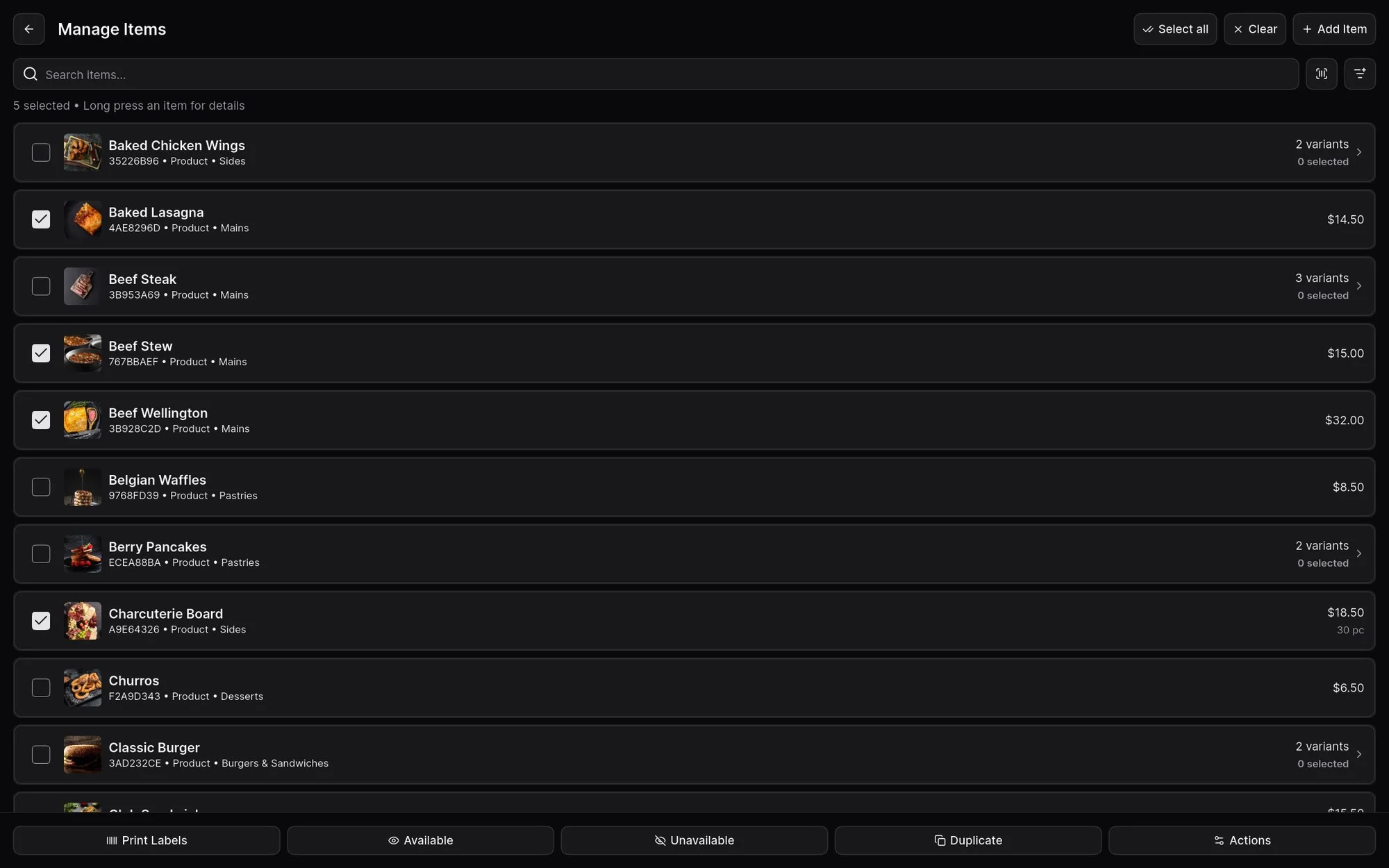
Adjustments are numbered and need a reason, and stock moves between locations as a numbered transfer, where the receiving store records what arrived. Stock takes can be blind, so staff record what's actually on the shelf, and adjustments, stock takes and transfers can require a manager's PIN. Price and barcode labels print as a PDF on a regular printer, and the catalog can be imported and exported with Excel, with a preview before anything changes.
Customers and loyalty
Customer profiles, groups, loyalty points and credit live in the same app you sell from. Groups such as VIP or Wholesale get their own discounts, applied as soon as the customer is added to the sale. Customers earn points on what they spend and redeem them at checkout.
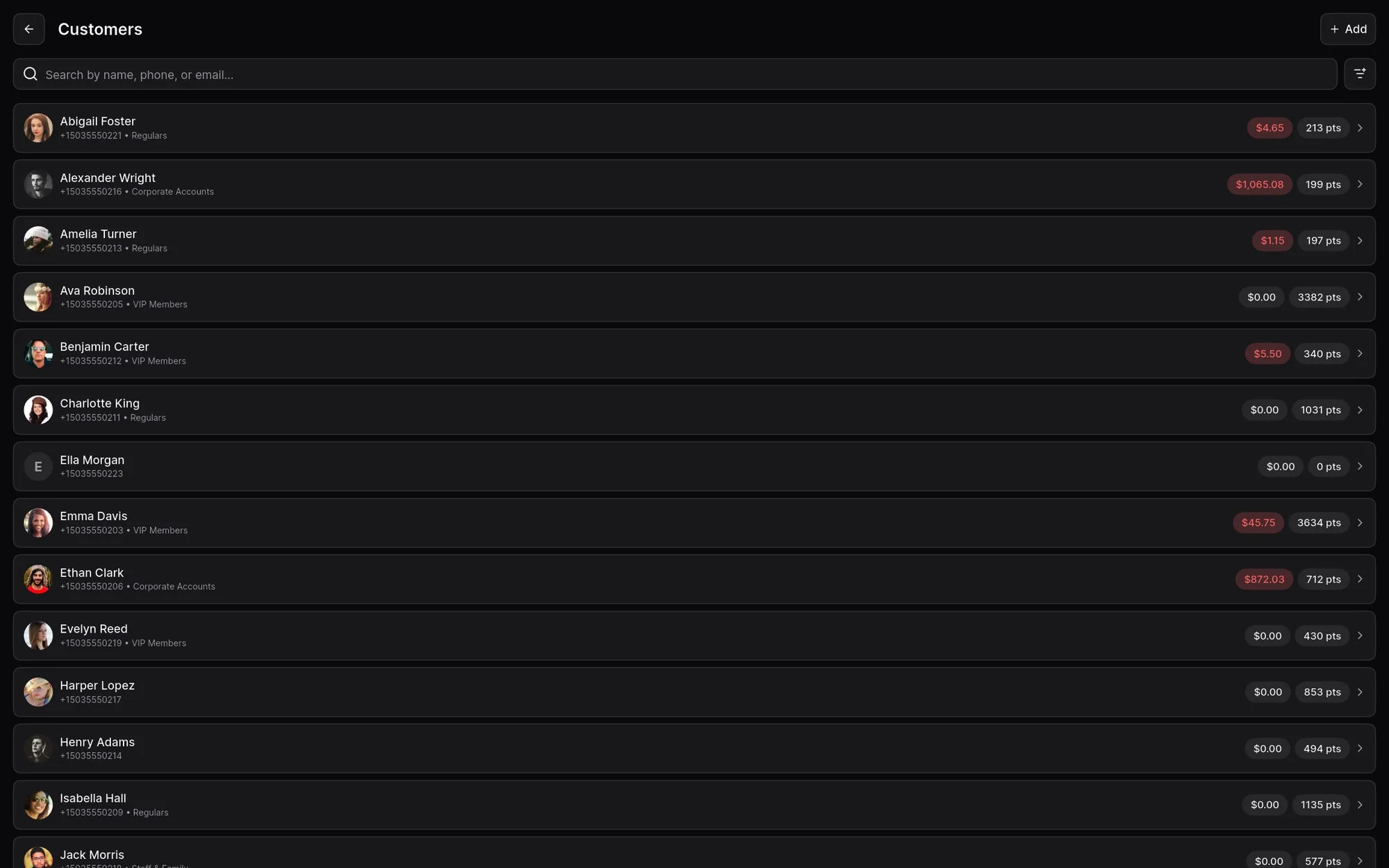
If a customer buys on credit, or an order closes without full payment, the rest is recorded as debt. You can record payments against it, and print or share a debt note the same way you share a receipt.
Staff, attendance and shifts
Start from ready-made roles such as Manager, Cashier, Waitress, Kitchen and Warehouse, or create your own, and choose what each role can do. Voids, refunds, payment edits and stock changes can require a manager's PIN.
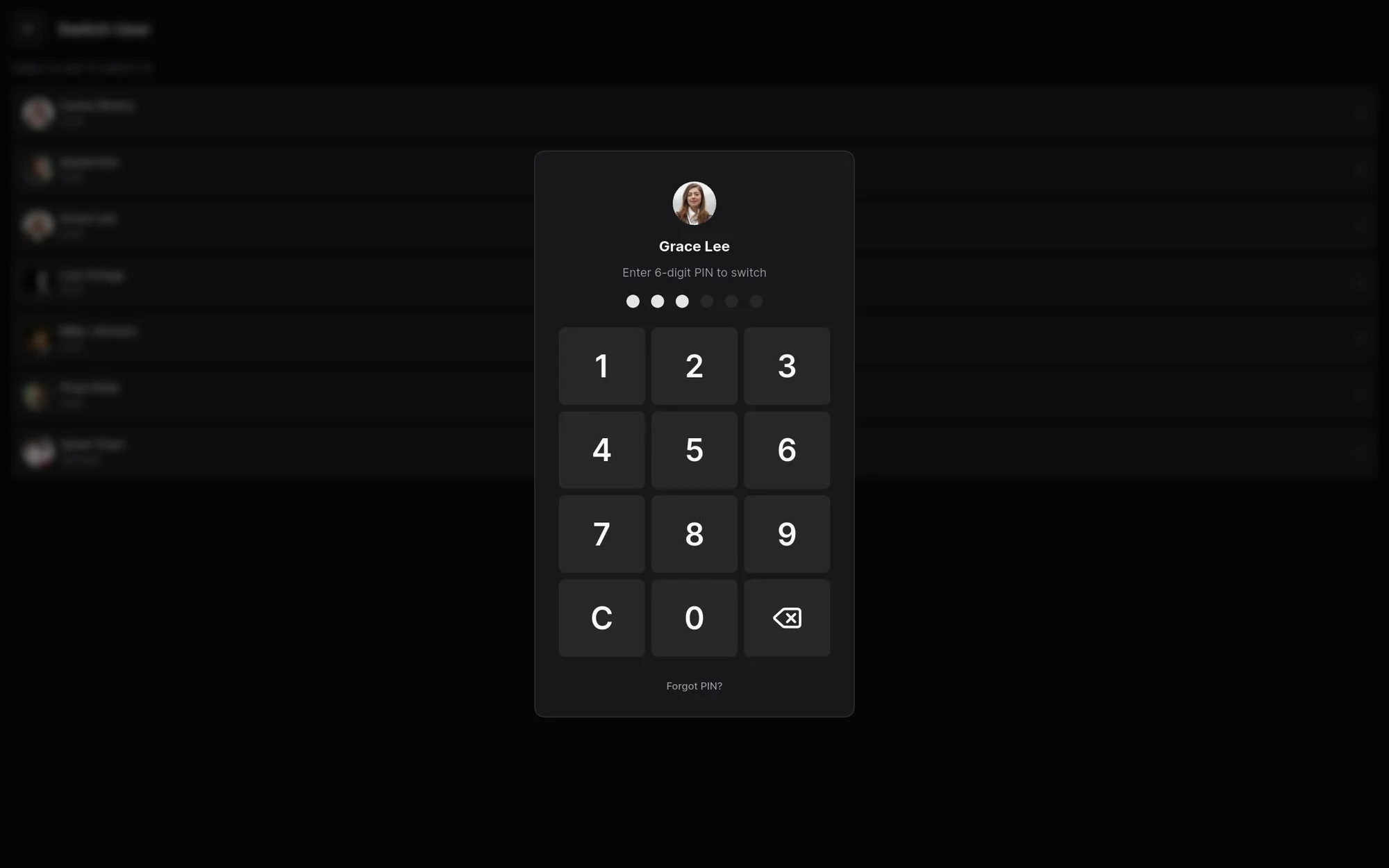
Staff sign in with a 6-digit PIN and switch quickly on a shared tablet, and each sale is recorded under the person who made it. Shifts open with a counted amount, and at the end you enter what you have for each payment method. Any difference needs a note. On paid plans, a tablet by the door can become an attendance kiosk, with work schedules that flag late arrivals, early leaves and overtime.
Locations and app modes
Run several locations under one business, with a shared catalog, stock and availability per location, and settings profiles you can assign to one or more locations.
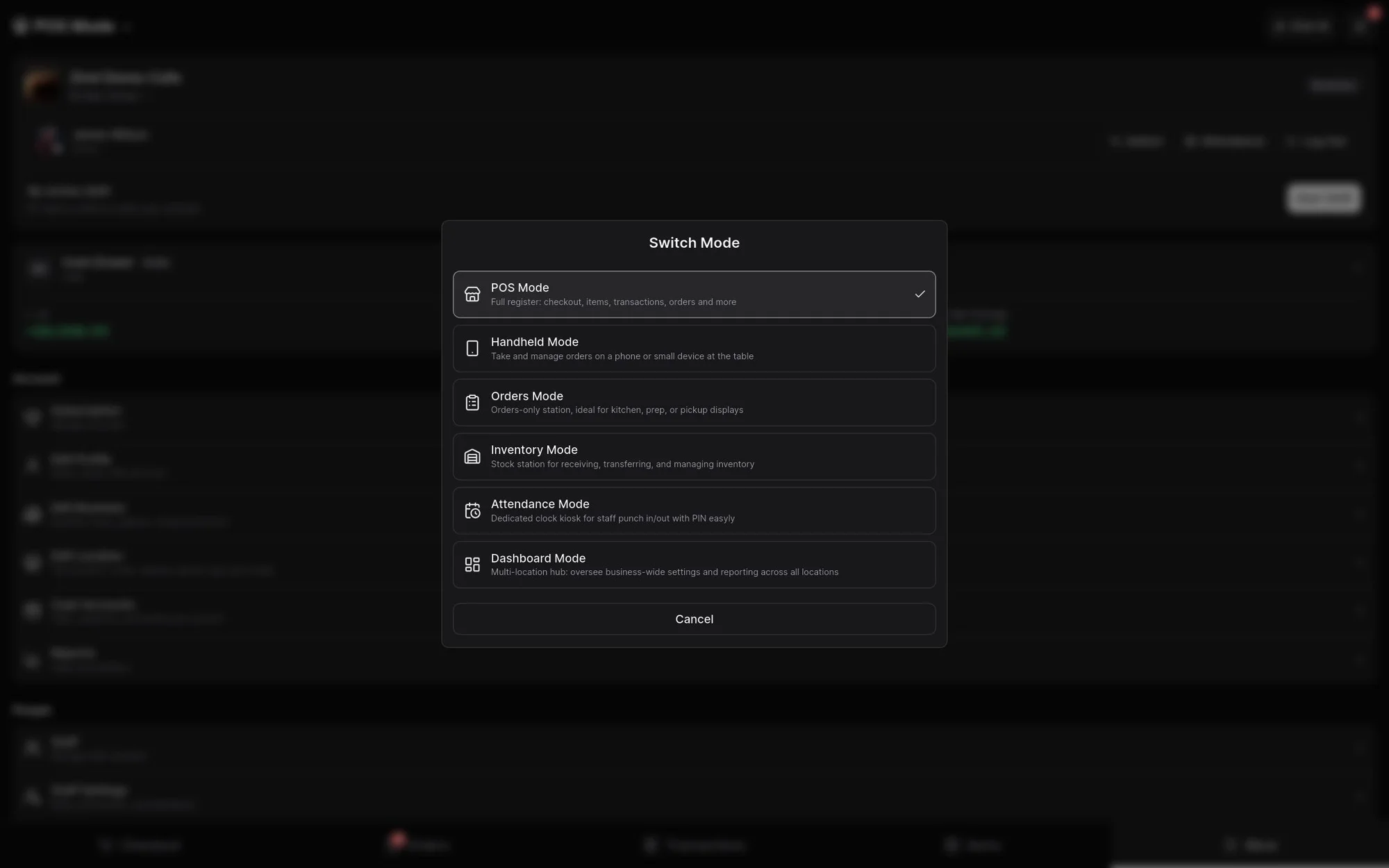
On paid plans, each device can switch between six modes, or be locked to one:
| Mode | For |
|---|---|
| POS | The register |
| Orders | The kitchen, prep or the pickup counter |
| Handheld | Taking orders at the table on a phone |
| Inventory | Receiving, transferring and managing stock |
| Attendance | A clock-in kiosk for staff |
| Dashboard | Owners, with every location together |
Cash, expenses and settlements
The cash drawer and each payment method get an account automatically, and you can add your own, such as petty cash. Expenses are recorded with a category, payee and receipt photo, and staff expenses can wait for a manager's approval.
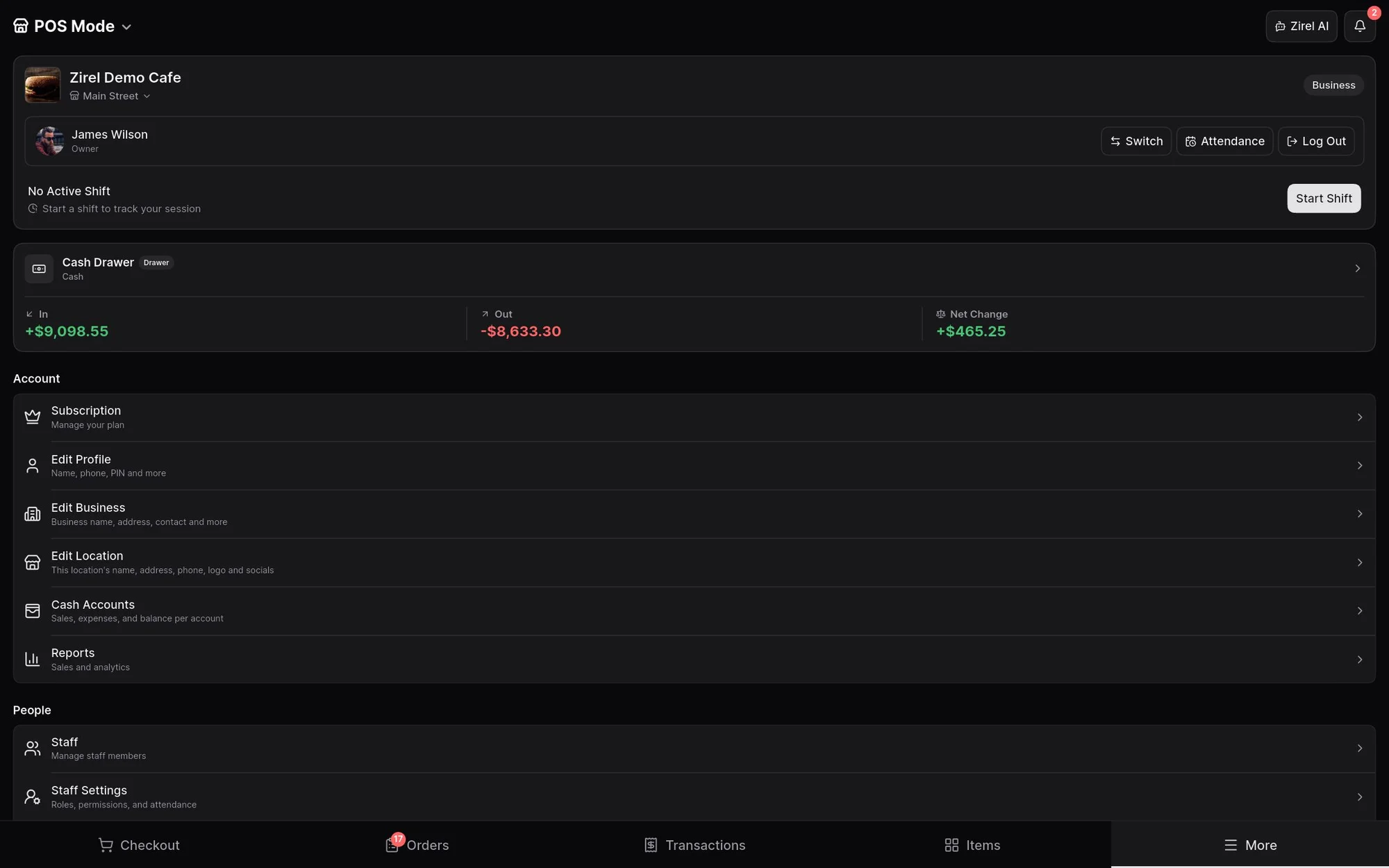
At the end of a shift, the settlement compares expected and counted amounts for each payment method, with card fees shown next to the amount you actually receive. It covers daily cash, not full bookkeeping.
Reports
Sales, profit and margin for any date range, compared with the previous period, and broken down by payment method, item, category, staff and customer. Peak hours show up on a heatmap.
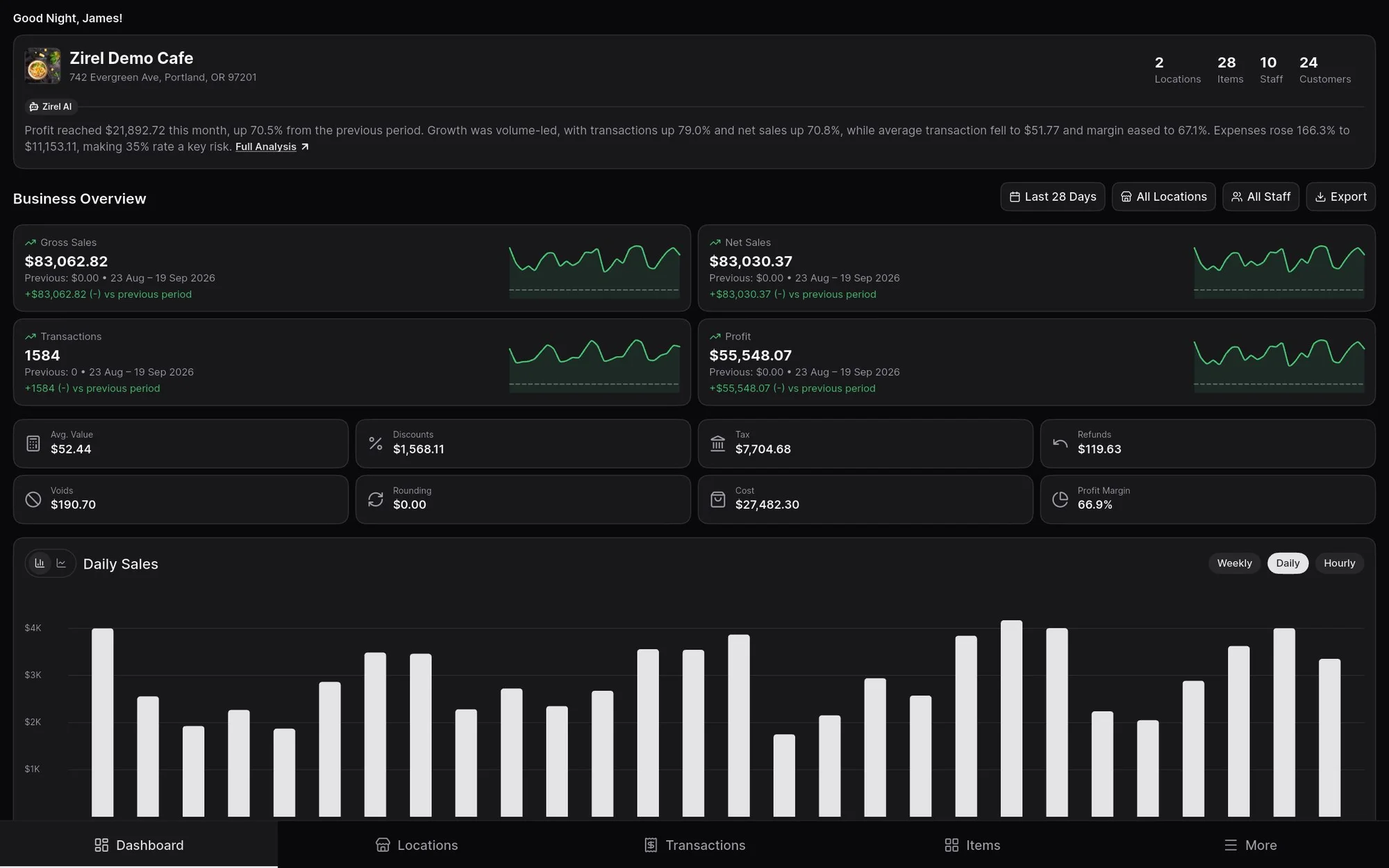
Dashboard mode combines every location, so owners can see the whole business from any device. Sales, transactions, orders, payments, shifts, cash accounts and attendance export to Excel for your bookkeeping or accountant.
Zirel AI
Zirel AI is an assistant built into the app. On every plan, it answers how-to questions from the Zirel help guide. On paid plans with sync, the owner can also let it answer questions about the business: sales, items, orders, customers, debts, staff and cash.
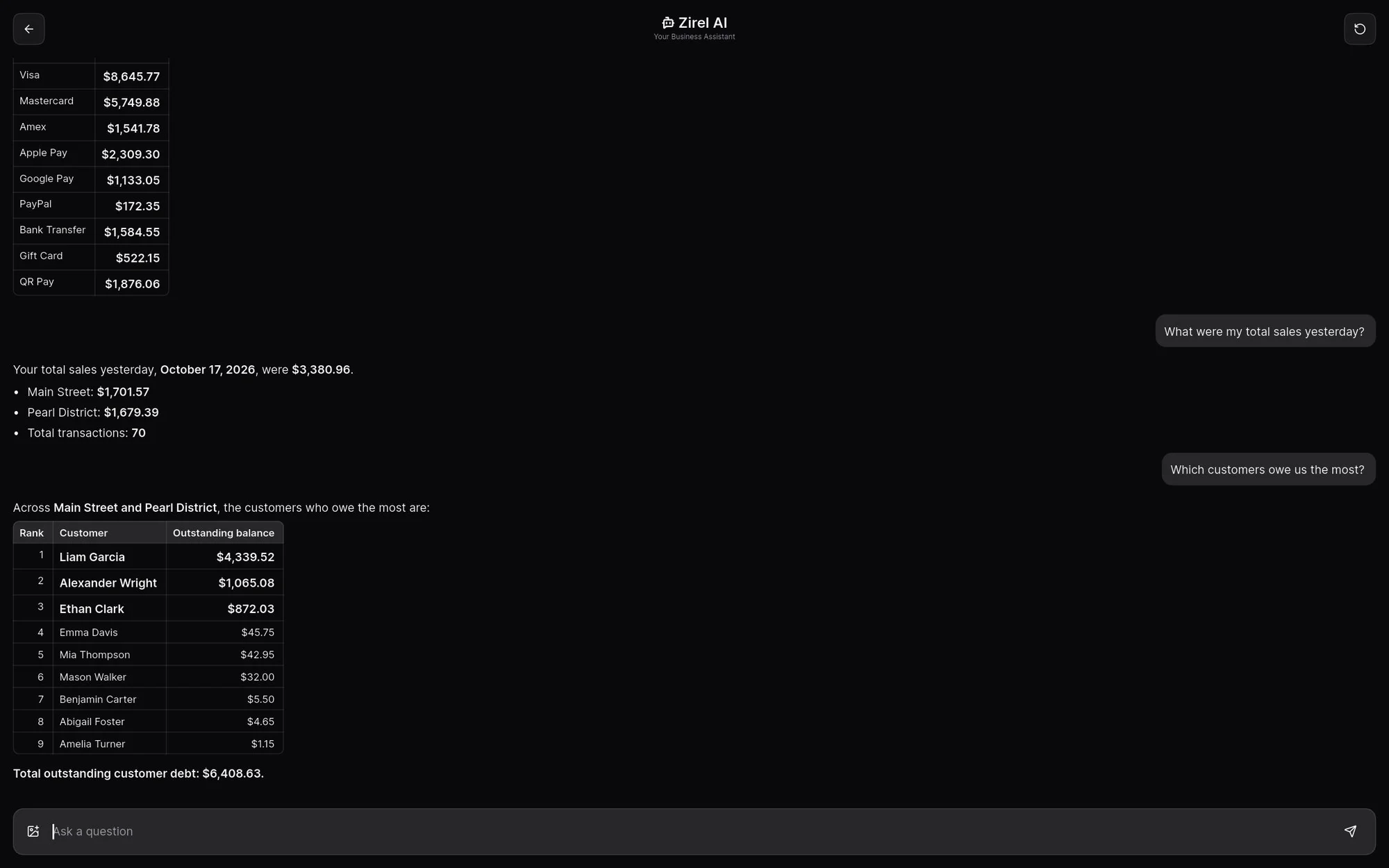
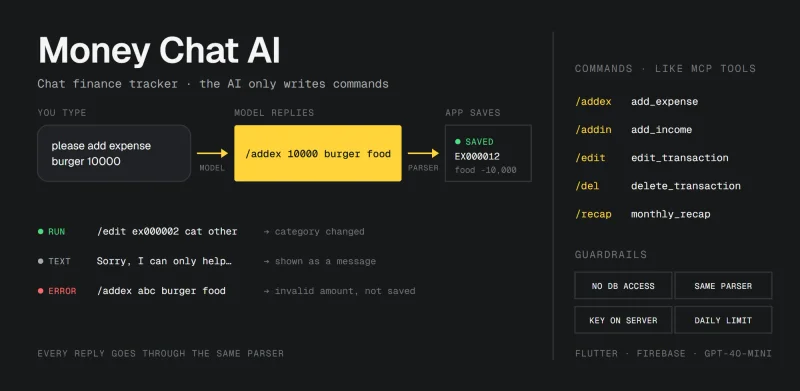
Only the owner can turn on business data access, and staff also need permission to view reports before it shows them sales figures. Like Money Chat AI, the model never touches the database directly. It can only use a fixed set of read-only reports, with the same permissions as the person asking. Selling never depends on it, and the built-in help guide works offline.
Works offline, syncs when it can
Every location keeps selling without internet: orders, sales and receipts all work offline. On paid plans, devices sync sales, stock and settings through the cloud when they reconnect, and every plan can back up to the device or to Google Drive.
The offline-first idea comes from Flutter POS, but the sync was rebuilt for a product. A sale and the change waiting to be sent are saved together, so nothing is half-saved. Stock and customer balances move by adding and subtracting changes, so sales made offline on different devices all count. And deleted records stay deleted on every device. If you're curious about the basics, the Flutter POS post goes through them.
Plans
Start free and upgrade in the app when you need more. The Free plan has no time limit and no cap on transactions. It runs on one device and one location in POS mode, keeps its data on the device, and contains ads.
| Plan | Monthly | Billed yearly | Highlights |
|---|---|---|---|
| Free | $0 | 1 device, 25 items, POS mode | |
| Starter | $2.79 | $1.93 a month | Cloud sync, more items and staff, app modes, Zirel AI, no ads |
| Pro | $8.49 | $6.10 a month | Unlimited items, up to 10 devices, 2 locations |
| Business | $13.99 | $9.88 a month | Unlimited staff and devices, up to 5 locations |
Custom plans are available for more locations. The full comparison is on zirelpos.com.
Where to start
Zirel POS runs on Android phones and tablets, and versions for iPhone, iPad and Windows are coming. You can get it on Google Play, and see everything on zirelpos.com. If you have questions, the contact page comes straight to me.